
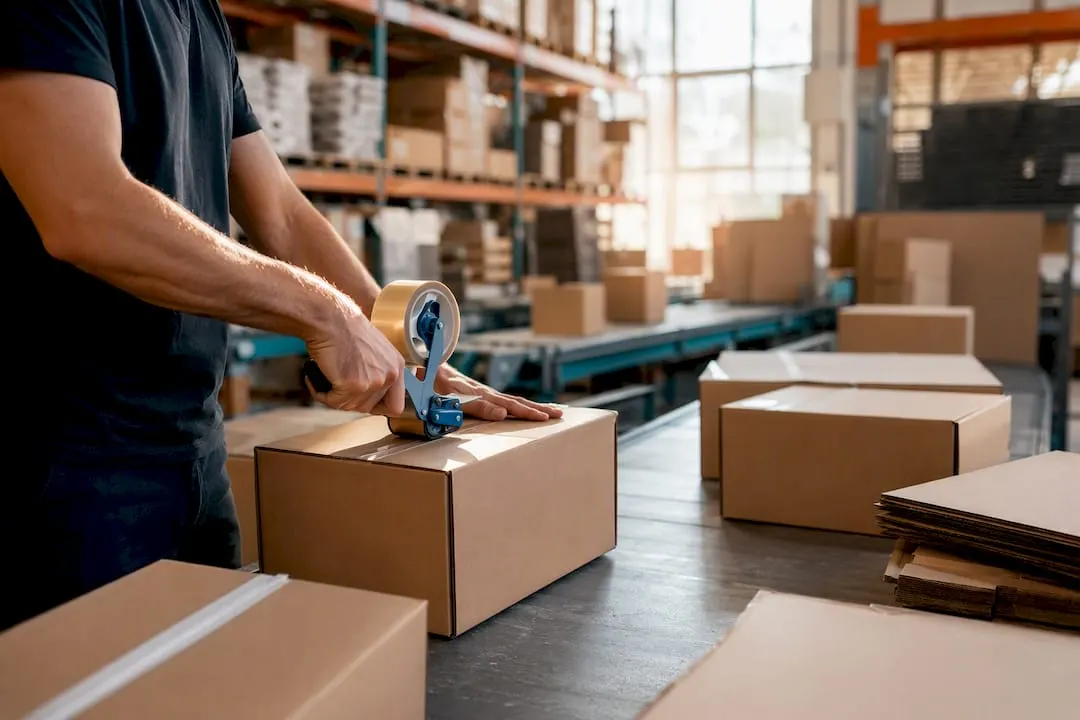
Moving your Shopify store to a third party logistics (3PL) provider is an exciting milestone for any growing ecommerce business.
It means you’re ready to hand over the day to day fulfilment of your orders so you can spend more time focusing on sales, marketing, product development and customer growth.
While connecting Shopify to a 3PL is relatively straightforward, a successful transition involves much more than installing an app.
Your products, inventory, shipping methods and order workflows all need to work together to ensure every order reaches the warehouse accurately and every customer receives the right product on time.
The good news is that with a little preparation, onboarding to a 3PL can be a smooth process.
In this guide, we’ll walk through the key steps to help you prepare your business, avoid common mistakes and launch with confidence.
Table of contents
- Before you connect your store
- Prepare your inventory
- Connect your ecommerce store
- Test before you go live
- Test the exceptions
- Keep the customer in mind
- Common mistakes to avoid
- Shipping and tracking
- Returns should be part of your onboarding
- What if you have multiple fulfilment locations?
- What does a successful integration look like?
- Fulfilpackers: making the transition simple
- Frequently asked questions
- Key takeaways
Before you connect your store
Before connecting your Shopify store to a warehouse, spend some time preparing your product data.
Think of it this way. Your 3PL will only know what you’ve told it.
If product information is inaccurate, those same issues will carry through into the warehouse and create unnecessary work later.
Before onboarding, check that:
- Every product has a unique SKU
- Product variants are correctly configured
- Barcodes are accurate where required
- Product names are easy to identify
- Product weights are correct
- Product dimensions have been added where required
- Bundles and kits have been documented
- Duplicate or discontinued products have been removed
Taking the time to clean up your catalogue before your first inbound delivery will make the onboarding process much smoother.
Prepare your inventory
Accurate inventory is one of the foundations of successful fulfilment.
Before sending stock to your warehouse, make sure you understand how inventory will be managed between your ecommerce store and your 3PL.
Some useful questions to ask include:
- How often will inventory update?
- When does newly received stock become available for sale?
- How are damaged products removed from inventory?
- How are returned products added back into stock?
- How are bundled products managed?
- What happens if stock levels don’t match?
These conversations are much easier before go live than after customer orders have already started flowing through the warehouse.
Connect your ecommerce store
Once your products and inventory are ready, it’s time to connect your store.
The exact process will vary depending on your ecommerce platform and your 3PL, but the overall goal remains the same.
Orders should flow automatically from your store into the warehouse, while inventory and tracking information synchronise back once orders have been dispatched.
During onboarding you’ll typically:
- Connect your ecommerce store
- Map your products and SKUs
- Configure inventory synchronisation
- Review shipping methods
- Confirm fulfilment settings
- Test the connection
Once complete, your warehouse should be ready to receive live customer orders without manual intervention.
Test before you go live
One of the biggest mistakes businesses make is assuming everything is working because the connection has been established.
Before processing live customer orders, place several test orders through your store.
Confirm the warehouse receives:
- The correct products
- Correct quantities
- Customer information
- Shipping method
- Order notes
- Any special packing instructions
Then follow the order all the way through dispatch.
Check that:
- Inventory updates correctly
- Tracking information is returned to your store
- Customer notifications are sent
- The order is marked as fulfilled
A few extra minutes spent testing can prevent hours of troubleshooting later.
Test the exceptions
It’s easy to test a perfect order.
What’s more important is understanding what happens when something unexpected occurs.
Before launching, work through scenarios such as:
- Customer cancellations
- Address changes
- Out of stock products
- Split shipments
- Returns
- Replacement orders
These situations don’t happen every day, but when they do, both your team and your fulfilment partner should know exactly how they’ll be handled.
Keep the customer in mind
Customers never see your warehouse.
They don’t know which systems are connected behind the scenes or how orders move from your store to your fulfilment partner.
They simply expect the right product to arrive on time.
A successful integration should feel invisible to them.
When your products, inventory, shipping and warehouse all work together, your customers enjoy a smooth experience while your team spends less time managing fulfilment.
Common mistakes to avoid
Most integration issues aren’t caused by the technology itself. They’re caused by poor preparation.
Taking the time to get the basics right before you go live can save countless hours of troubleshooting later.
Some of the most common mistakes include:
Connecting before cleaning up your products
Your warehouse will only work with the information it receives.
Duplicate SKUs, incorrect product weights or poorly named products can all lead to unnecessary picking errors and inventory discrepancies.
Always review your product catalogue before onboarding.
Sending inaccurate inventory
Before your first shipment arrives at the warehouse, confirm your inventory matches what you actually have on hand.
Starting with incorrect stock levels makes it difficult to identify where discrepancies occurred later.
Skipping test orders
A successful connection doesn’t necessarily mean your fulfilment process is ready.
Always test the complete order journey before processing live customer orders.
Not documenting your fulfilment process
Your 3PL should clearly understand how you want your orders packed, shipped and managed.
Providing instructions around packaging, inserts, gift messages, returns or kitting requirements during onboarding helps ensure consistency from day one.
Shipping and tracking
Once your warehouse has packed an order, the next step is dispatch.
At this point, a shipping label is created and tracking information is generated before being returned to your ecommerce store.
Customers are then notified that their order has been shipped.
One question businesses often receive is:
“Why hasn’t my tracking updated yet?”
This is completely normal.
Tracking numbers are usually created before the carrier performs its first scan, so there can be a short delay before tracking begins showing movement.
The important thing is ensuring tracking information flows automatically back into your store so customers can monitor their delivery without contacting your team.
Returns should be part of your onboarding
Returns are often overlooked during implementation, but they’re just as important as dispatch.
Before going live, understand exactly how returned products will be managed.
Some useful questions include:
- How are returns received?
- How are products inspected?
- When is inventory updated?
- How are damaged products handled?
- How will my team know a return has arrived?
Having a documented returns process ensures everyone understands what happens once products come back into the warehouse.
What if you have multiple fulfilment locations?
As your business grows, you may choose to fulfil orders from more than one location.
For example, you might:
- Keep some stock in your own warehouse
- Store additional inventory with a 3PL
- Use different warehouses for different regions
If this applies to your business, it’s important to decide how orders will be allocated before going live.
Your ecommerce platform and warehouse should follow the same fulfilment strategy to ensure orders are sent to the correct location every time.
The simpler your fulfilment process, the easier it is to manage as your business continues to grow.
What does a successful integration look like?
When everything has been configured correctly, the process should feel effortless.
A customer places an order.
The order is automatically sent to your warehouse.
Your warehouse picks and packs the products.
The parcel is dispatched.
Tracking information is returned to your ecommerce store.
The customer receives their shipping notification.
Inventory updates automatically.
Your team doesn’t need to manually create orders, update tracking numbers or constantly check whether parcels have left the warehouse.
That’s exactly how a well configured 3PL integration should work.
Fulfilpackers: making the transition simple
At Fulfilpackers, onboarding is designed to make the transition from self fulfilment to outsourced fulfilment as straightforward as possible.
We’ll work with you to:
- Connect your ecommerce store
- Configure your products and inventory
- Test your order flow
- Confirm your shipping requirements
- Review any packaging or kitting instructions
- Process test orders before going live
Once operational, you’ll have complete visibility of your inventory and orders through Mintsoft, our Warehouse Management System.
Combined with a dedicated Customer Success Manager, you’ll always know what’s happening inside the warehouse.
Our current operational performance includes:
- 98% on time dispatch
- 99.9% order accuracy
Whether you’re moving from self fulfilment or another 3PL, our goal is to make the transition as smooth as possible.
Frequently asked questions
How long does it take to connect Shopify to a 3PL?
Every business is different, but once your products and inventory are prepared, many integrations can be completed within a matter of days.
Do I need to stop trading while changing to a 3PL?
Not necessarily.
Many businesses complete a staged transition, testing orders before moving all fulfilment across to the warehouse.
What information does my 3PL need?
Typically, your warehouse will require:
- Product information
- SKUs
- Barcodes where applicable
- Product weights and dimensions
- Packaging requirements
- Shipping preferences
- Returns instructions
How do I know if the integration is working?
Run several test orders and confirm:
- Orders reach the warehouse
- Products are picked correctly
- Tracking information is returned
- Inventory updates accurately
- Customer notifications are sent
What should I prepare before my stock arrives?
Review your product catalogue, confirm inventory counts, document your fulfilment requirements and complete testing before your first inbound shipment arrives.
Key takeaways
Connecting your ecommerce store to a 3PL is more than simply installing an integration.
Taking the time to prepare your products, inventory and fulfilment processes before going live will create a smoother transition and a better experience for both your team and your customers.
| Stage | Why it matters |
|---|---|
| Product setup | Clean product data reduces fulfilment errors. |
| Inventory | Accurate stock creates a smoother onboarding process. |
| Testing | Running multiple test scenarios builds confidence before go live. |
| Returns | A documented returns process ensures consistency after launch. |
| Fulfilment | A successful integration should automate order flow, inventory updates and tracking. |
| Long term success | Good preparation creates a scalable fulfilment operation that grows with your business. |
A successful integration should be seamless from checkout through to delivery.